Lab Guide
The lab is the cloud development environment embedded in Unitary Studio. Click any experiment in the experiment list to open it.
Page Overview
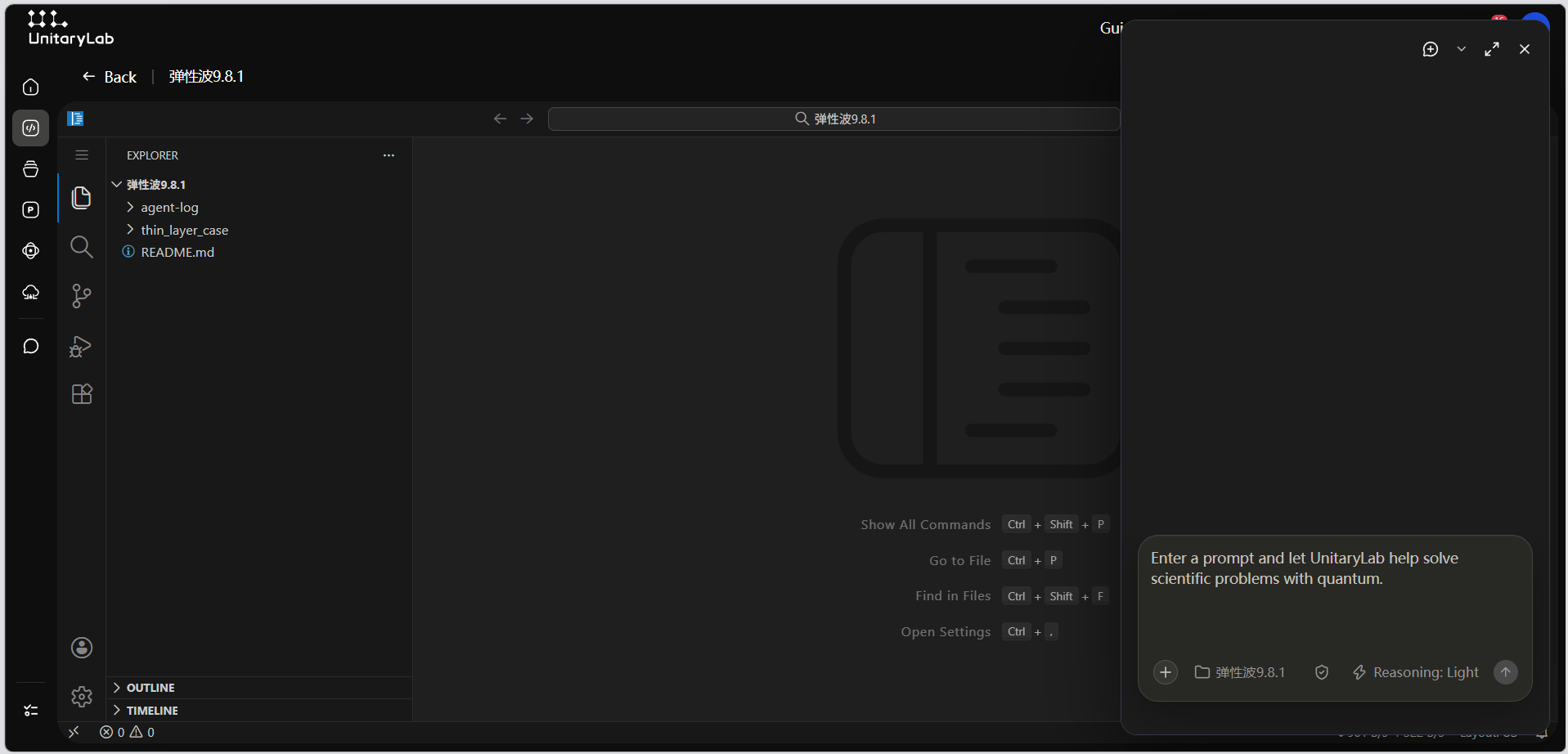
The lab page consists of three areas:
- Top return bar: Located at the very top of the page. Shows the current experiment name (masked in the manual screenshot) and provides a back button to return to the experiment list.
- Code editor (left): A full online IDE embedded in the browser, supporting code editing, file management, terminal access, and all standard development features.
- AI chat (right): An independent AI chat panel where you can ask questions about code logic, error messages, or implementation approaches at any time without leaving the page. For general usage of the AI chat, see the AI Chat Guide.
A draggable divider sits between the code editor and the AI chat panel, allowing you to adjust the width ratio as needed.
Workspace Editing Tools
The lab includes a suite of workspace editing tools, providing more complete editing support for cloud development scenarios.
Tool capabilities:
- Code editing enhancements: syntax highlighting, code completion, error hints, and other basic editing capabilities to improve online coding efficiency.
- File management: create, rename, delete, and move files and directories directly in the editor, via either the file tree or terminal commands.
- Terminal integration: an embedded terminal window for running commands, executing scripts, and debugging code. Common shell commands are supported.
- AI-assisted programming: combined with the right-side AI chat panel, you can ask AI questions about the current code file to get explanations, error diagnostics, and optimization suggestions without switching pages.
Suggestions:
- Editing tools work best together with the AI chat panel — ask questions in the right panel whenever you encounter code issues.
- File operations (create, delete, rename) can be performed through the editor’s file tree or through terminal commands.
- The terminal window is suitable for running tests, installing dependencies, and starting services.
Further Reading
- Enter Lab: the full flow from the experiment list into the lab.
- Loading & Error Handling: how to handle loading, timeout, and no-available-address states.
Last updated on