Youbi Guide
Overview
U-Coin (Youbi) is the platform credit used by features such as the Algorithm Library, PDE Solver, and Quantum Circuit Editor. Current feature-page prompts determine the applicable costs and deduction rules.
Youbi Overview Entry
After signing in, open the Youbi balance at the top right to see your balance and four shortcuts.
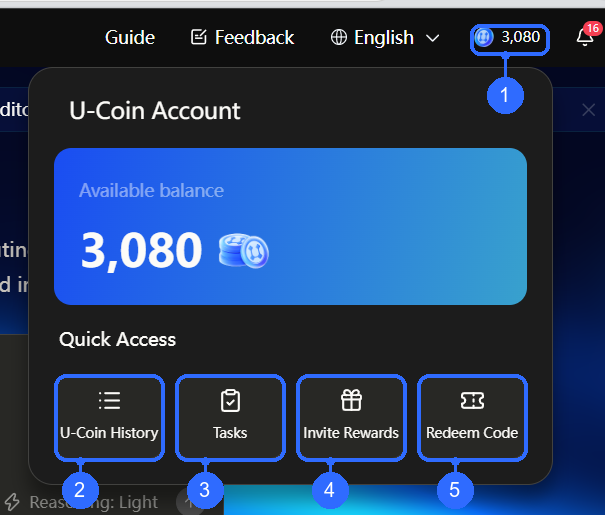
Numbers in the figure correspond to:
- Top-bar balance: open the account panel and check available credits.
- U-Coin History: review earned and spent credits.
- Tasks: check requirements, progress, and rewards.
- Invite Rewards: view your invitation code, copy a link, or review invitations.
- Redeem Code: open the redemption center.
How to Earn Youbi
First-login reward
The earned-credit ledger can include a first-login reward. Eligibility and the amount depend on the current campaign rules and the actual ledger entry.
Complete tasks
Open Tasks from the account panel. The list is grouped into beginner, daily, and weekly tasks, with requirements, progress, and rewards.
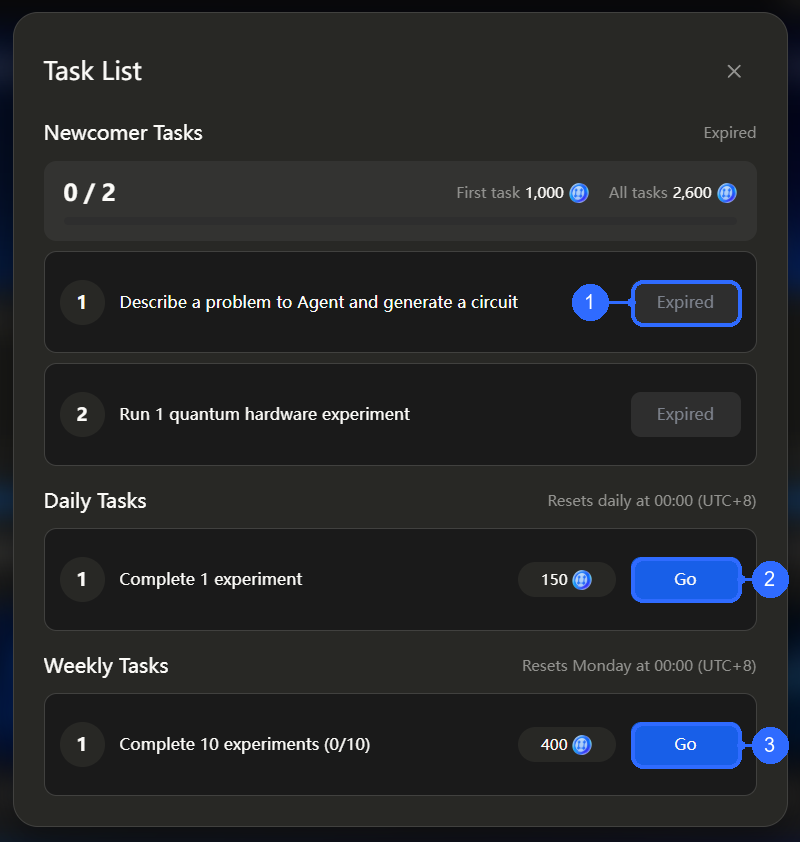
Blue callouts correspond to the following; the dark numbered circles belong to the product’s own task list:
- Beginner-task status: this screenshot shows Expired. Continue with tasks that are still valid.
- Daily task: Go: proceed to the daily task. The example requires one experiment and displays its reset time.
- Weekly task: Go: proceed to the weekly task. The example tracks ten experiments and shows the weekly reset time.
“Go” starts the task flow; it is not a claim-reward button. Return after completing a task to check progress and available actions, and confirm credited rewards in the ledger.
Invite friends
Open Invite Rewards from the account panel.
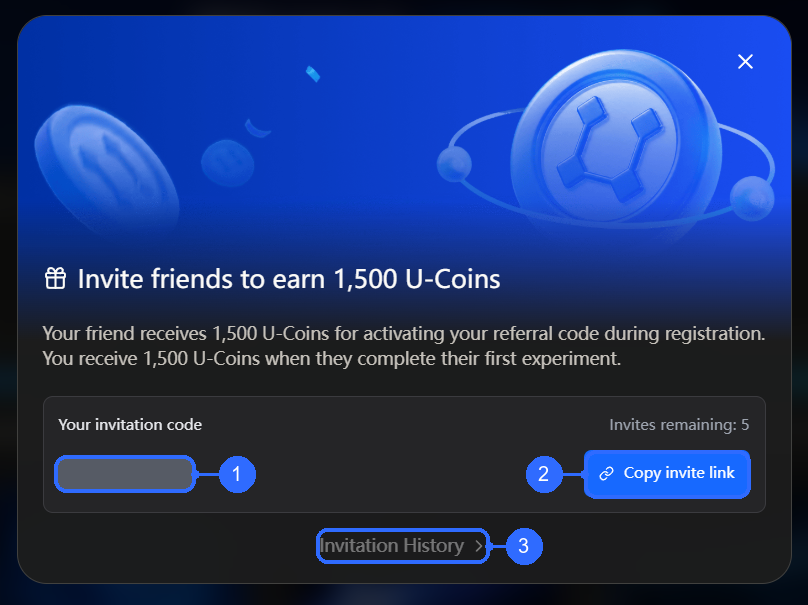
Numbers in the figure correspond to:
- Personal invitation code: used by a friend during registration; the value is redacted here.
- Copy invite link: copy the shareable link. Remaining invitations appear nearby.
- Invitation History: review invitation activity.
The pictured campaign rewards the invited friend after registration and referral-code activation, and the inviter after the friend’s first completed experiment. Follow the current dialog for amounts, remaining invitations, and eligibility conditions.
Redemption codes
Open Redemption code from the account panel.
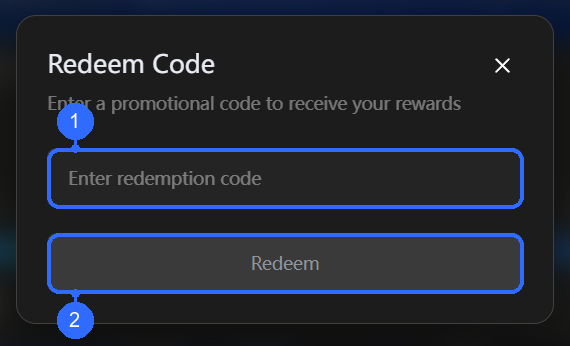
Numbers in the figure correspond to:
- Code field: enter the code supplied by a campaign.
- Redeem: submit the code. The button is disabled in this screenshot because the field is empty.
Ledger / Details
Open U-Coin History and switch between Earned and Spent.
Earned credits
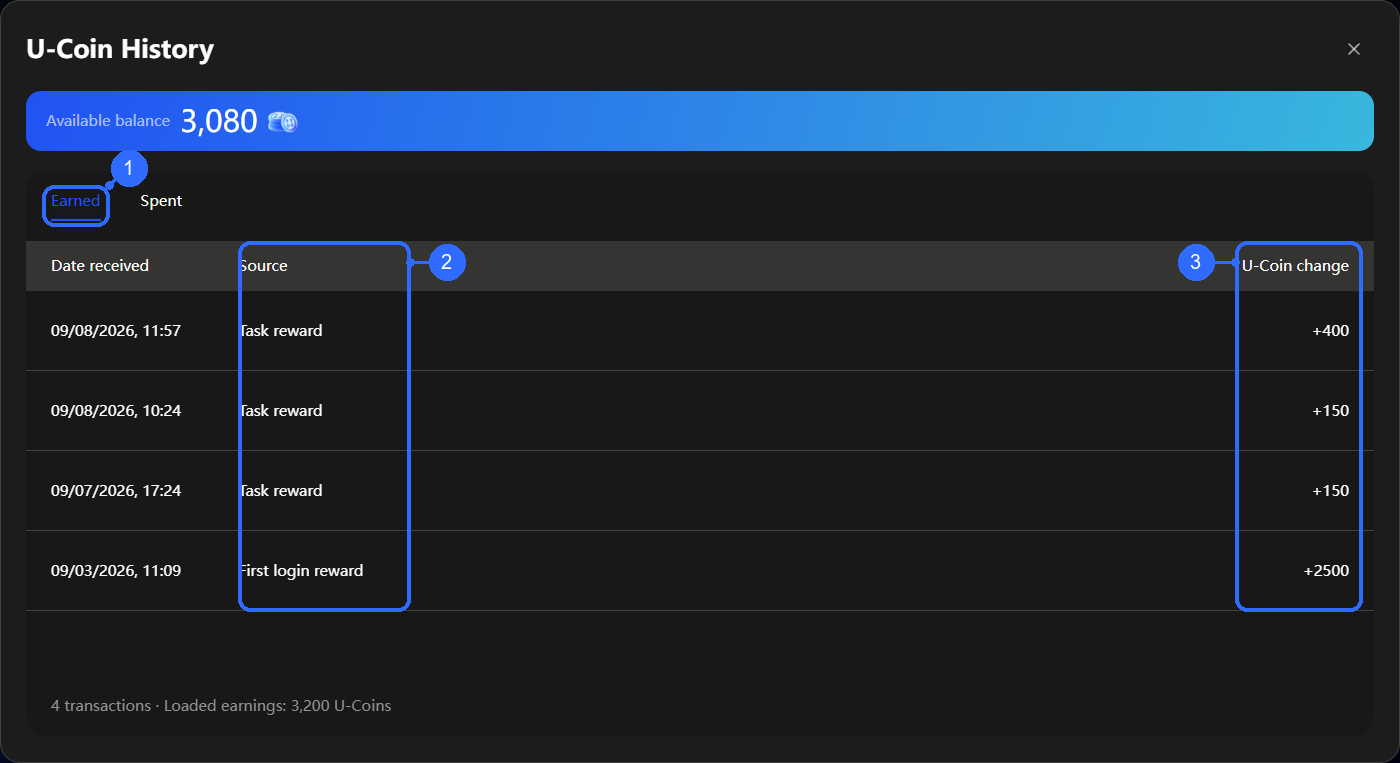
Numbers in the figure correspond to:
- Earned: the selected record type.
- Reward source: for example a task or first-login reward; its timestamp appears on the left.
- Youbi changes: the credited amount, shown as a positive number.
Spent credits
Select Spent in the same U-Coin History dialog to review deductions. Each row provides the amount and related transaction details.
The table footer shows the record count and cumulative earned or spent amount.