Trending Papers Guide
Overview
Trending Papers helps you browse recent quantum-computing research and understand it through abstracts, AI interpretation, and a structured table of contents. The updated interface consists of a paper-card list and a paper detail page.
Browse and Search
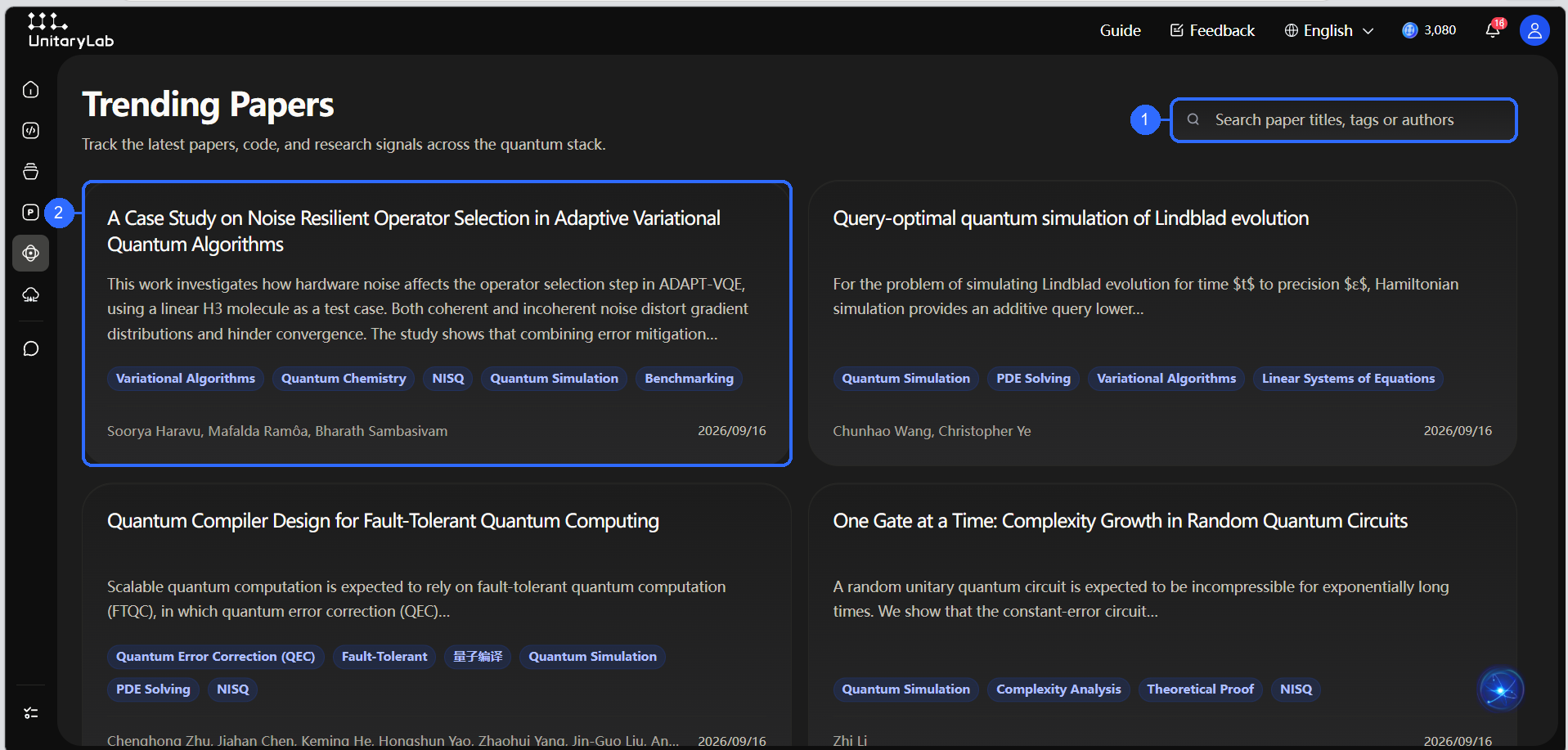
Numbers in the figure correspond to:
- Paper search: search by title, tag, or author; partial keywords are supported.
- Paper card: view the title, abstract preview, topic tags, authors, and publication date; click the card to open details.
Cards use a two-column layout. Scroll down to continue browsing. Use the tags to judge the topic, then read the abstract preview before opening a paper.
Paper Details and AI Interpretation
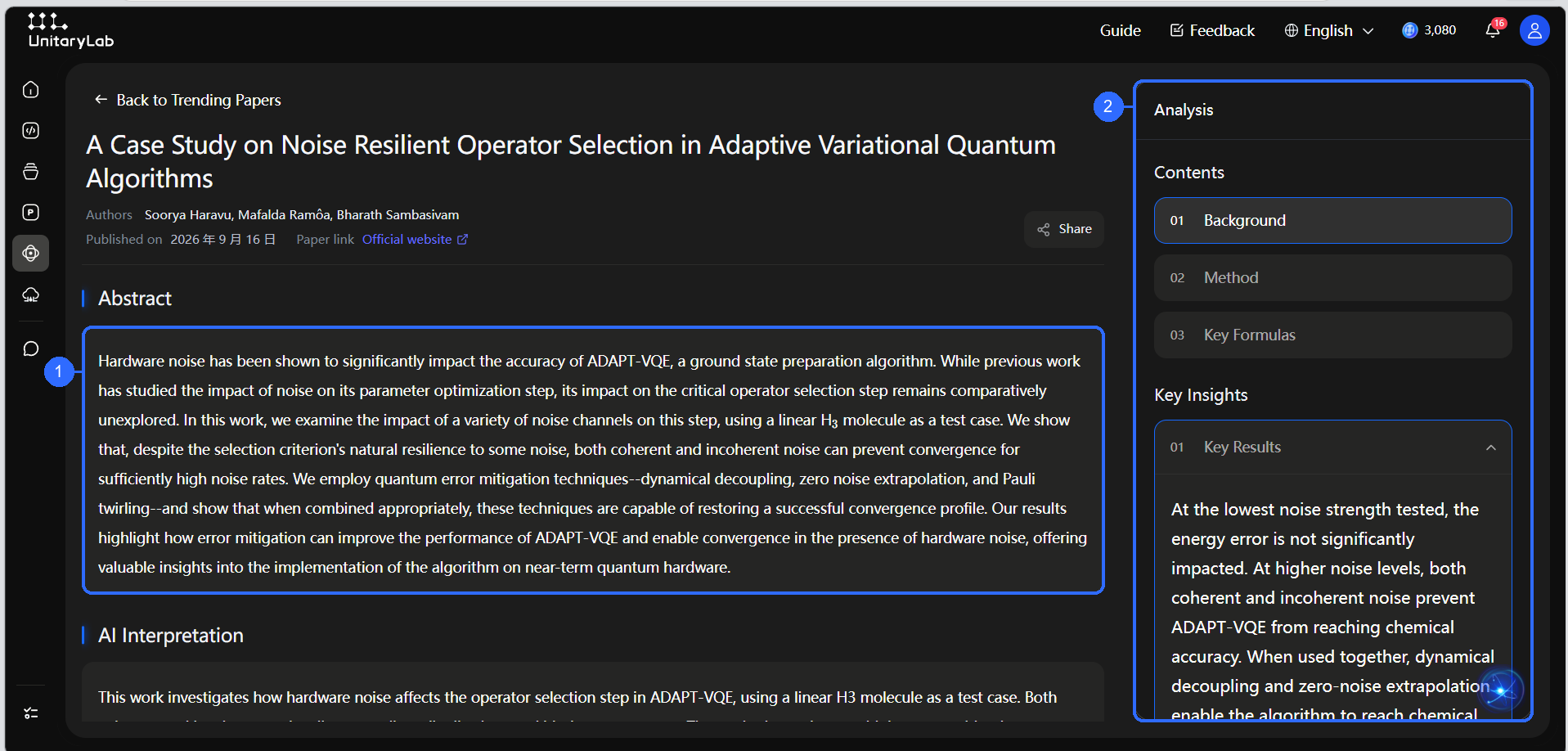
- Abstract: quickly understand the research problem, method, and main findings.
- Analysis and contents: jump to the background, method, key formulas, and other sections; key insights appear as expandable items.
The detail page also shows the authors, publication date, official paper link, and sharing entry. The main area is organized into the abstract, AI interpretation, and paper content; the analysis panel on the right helps you locate structure and conclusions.
License Confirmation and Content Generation
For a paper that is not published under an open license the platform can process directly, the page does not immediately reveal the generated summary or AI analysis. You must confirm before the system retrieves public literature and generates that content.
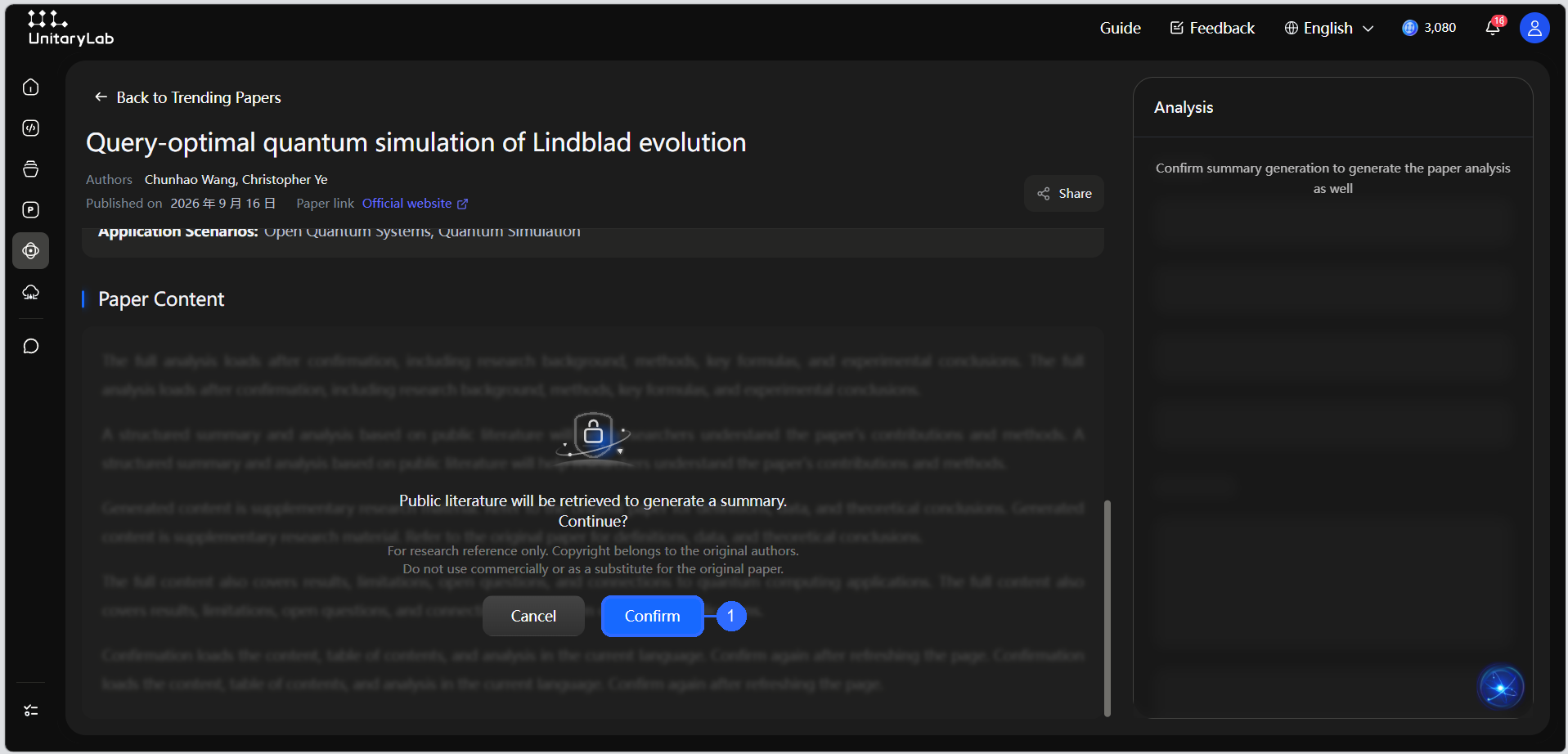
Callout 1 marks Confirm. The flow is:
- Read the confirmation and copyright notice on the paper detail page.
- Select Confirm to allow retrieval of public literature and generation of the summary; the analysis panel is generated at the same time.
- Select Cancel if you do not want to generate the content. The summary and AI analysis remain unavailable.
This confirmation is triggered by the paper’s actual license status; it is not tied to one fixed “third-generation” arXiv license. Generated content is for research reference only. Copyright remains with the original authors, and the output should not be used commercially or as a substitute for the original paper.
Reading Suggestions
- Read the abstract first, then use the right-side contents to jump to methods or key formulas.
- Treat AI interpretation as supporting material. Verify important claims, formulas, and experiment settings through the official paper link.
- For papers requiring confirmation, the abstract, AI interpretation, and right-side analysis appear only after confirmation.
- Open AI chat on the paper page to ask follow-up questions without manually copying the complete paper.
Weekly Updates
Trending Papers continuously collects new quantum-computing papers and retains earlier items for later review. Recent content is prioritized, making the page useful for tracking developments, selecting papers for close reading, and continuing a research discussion.
Related Chapters
- General AI chat features: AI Chat Guide
- Explore the algorithms mentioned in papers: Algorithm Library Guide
- Find the main feature entries: Quick Start